Honestly, I’ve never considered myself much of a tech person. And when I have tech troubles (which is often) I like to claim that “Grandpappy Dak” strikes again, because I most enthusiastically resonate (and sympathize) with grandpas when it comes to technology. Sometimes I actually miss the idea of a simpler time. Sure, electricity and indoor plumbing are great, but I can’t help feeling like cars, computers and the internet kick-started our slippery slope into today’s hyper-digital world, endless screens, constant notifications, social media spirals, AI everything, and somehow… less real human connection. It sounds dramatic, I know, but the bigger and “more connected” the world gets, the farther apart we seem to be. Grandpappy Dak is not thriving in this digital world.
Passwords, Platforms & Road Rage
I’ve always been weary of technology, but going back to school really emphasized that feeling. Wrestling with Microsoft Authenticator, Duo, a thousand passwords, logins, online textbooks and platforms, it’s exhausting, and I truly hate it somedays, it makes me feel like I have tech related road rage! Tech-Rage? Apparently its a real thing. But watching and seeing the impact on students up close is even more unsettling. The rise of “iPad kids,” shrinking attention spans, screen time for days, cyberbullying, the list goes on. It makes me really worried for future students and kids. A simpler time isn’t sounding so bad eh?
Confessions of a Formerly Tech-Free Kid Turned Doom-Scroller
I’m not innocent either though, unfortunately I’m fully addicted to social media. I actually grew up pretty tech-free: we played outside until dinner, Saturday morning cartoons were a treat (and taped, because we didn’t have cable), and we had one landline and one painfully slow family computer. Facebook and Instagram came out when I was 16, and I technically wasn’t allowed to have accounts until grade 12… but of course I made them anyway (sorry, Mom). I didn’t even get a cell phone until I was 18! But now I can’t leave the house without my phone, and I doom scroll. A LOT. Over the years, I’ve tried everything to quit social media, deleting apps, setting screen-time limits, even switching to a flip phone. But now I just end up doom-scrolling on my laptop instead. It’s honestly wild how addictive it all is, and it scares me even more for kids who grow up fully immersed in it. I’m grateful to live somewhere where being outdoors is still a huge part of our culture. Kids still get to be kids here, but I’m aware that’s becoming the exception, not the rule. Don’t get me wrong, I love a good movie night or Netflix binge, and I see that technology has real benefits in classrooms for diverse learners. But I also deeply believe we need more boundaries, tech-free spaces, real limitations, and intentional balance.
When “High Tech High” Wasn’t the Robot Apocalypse I Expected
That’s why “Most Likely to Succeed” really surprised me. With a name like High Tech High, I expected robots roaming the halls and AI teachers at every desk. But it wasn’t like that at all. Their use of technology felt more like hands-on engineering and problem-solving for different subjects. It was actually pretty cool and gave me a few ideas for my own future classroom. What surprised me most, though, was the public backlash against their approach. Instead of “teaching to the test,” the school focused on real-world skills, project-based learning, and student-led inquiry. The results were incredibly creative and innovative projects that actually prepared students for life beyond high school. Sure, they might’ve had less random knowledge memorized across ten different subjects, but they were learning things that mattered, things that helped them succeed in college or find real careers. Meanwhile, public and private schools focused on test prep found that even high-scoring students couldn’t remember the material a month later. And honestly? I relate. I barely remember most of what I learned in high school either. Maybe High Tech High is onto something, maybe real, practical, meaningful learning should matter more than memorizing facts just long enough to repeat them out on an exam. Lots to think about!
Why Video Might Be My Favorite Classroom Tech Tool
Of all the tech tools out there, I think video might actually be my favorite. It’s fun, it’s engaging, and unlike traditional lecture-style lessons it can make learning feel way more interactive. There’s a video for almost everything these days, which makes it such a versatile resource in the classroom.
Videos can introduce new concepts, demonstrate experiments or processes, or provide visual examples of ideas that are usually hard to grasp. They’re also amazing for differentiated learning (which I personally benefit from!). Students can pause, rewind, and learn at their own pace. Plus, videos are perfect for a flipped classroom model. Students watch content at home and then dive deeper through discussion or projects in class. Even better, having students create their own videos is a super fun learning activity that supports creativity, ownership, and engagement. Win-win!
Our Stop Motion Project: A Tiny Seed, A Cute Flower, and A Lot of Photos
This week in class, we created our own stop motion videos, and it was honestly such a blast. After a quick brainstorming session, we jumped right in! The app we used was incredibly simple, and our group ended up making the sweetest little animation of a tiny seed growing into a flower. It turned out SO cute. We sketched out all the scenes on a whiteboard, snapped what felt like a million photos for each tiny movement, and then put everything together using Stop Motion Studio. We were having so much fun that we didn’t even realize how much time had passed.
Experiences like this remind me why I love project-based learning. In a classroom, I’d absolutely use stop motion as a tool for storytelling, illustrating processes (like plant life cycles!), or showcasing group projects. It’s hands-on, creative, collaborative, and gives students an awesome visual alternative to traditional writing assignments or presentations. Stop motion videos are seriously awesome, and I can’t wait to see how they turn out during our first In-Situ at Marysville Elementary.
Exploring Epic! Books: A Digital Library Worth Keeping
We also explored Epic! Books this week, and I’m officially adding it to my teacher toolkit. It’s an online reading platform with thousands of books, audiobooks, and videos for students from kindergarten all the way to grade 12. With Epic!, students get access to a curated digital library, while teachers can assign reading, track progress, and even create book collections tailored to topics or reading levels. It’s perfect for independent reading, literacy centers, or research projects. Although this is a paid subscription there is a free option for Educators (So keeping that in mind)
So I guess technology isn’t alllllll bad, especially when it supports learning in ways that feel meaningful and creative!
Tech Then vs. Tech Now: Two Completely Different Worlds
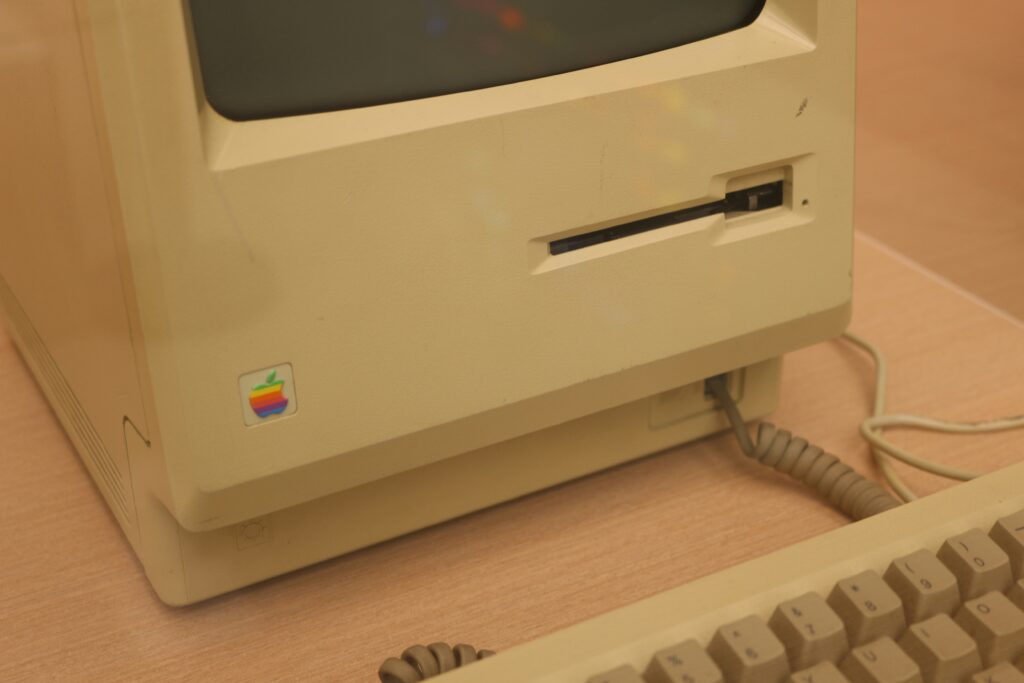
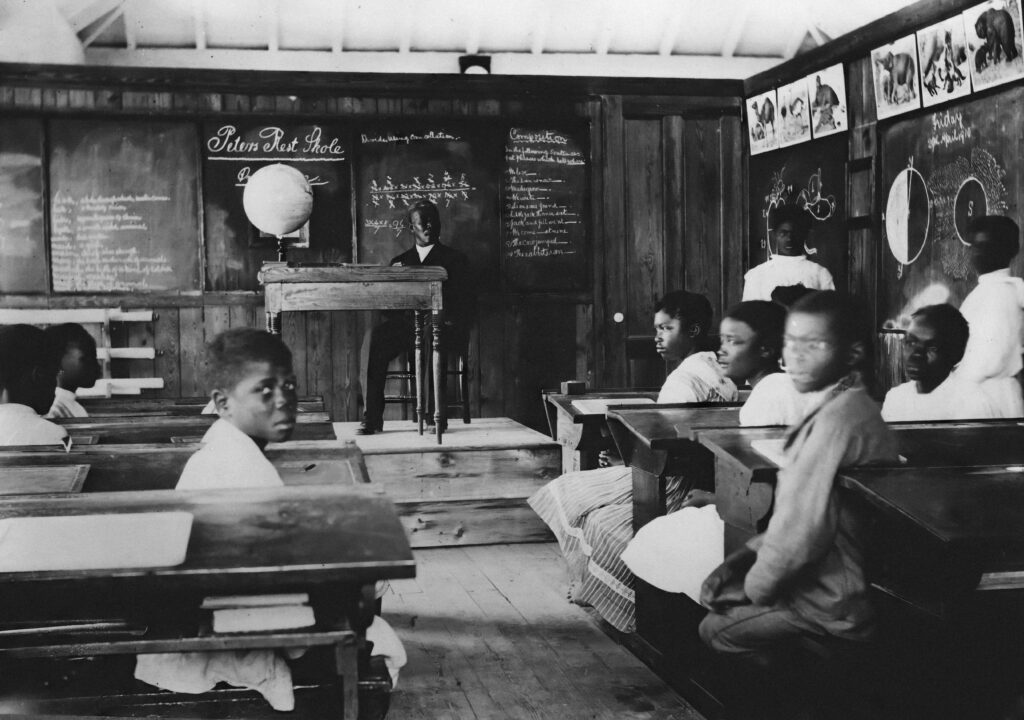
Technology today is a very different creature than what I grew up with. Back in my day, technology in school basically meant the computer lab, rooms with rows of chunky desktops where we learned how to type, make PowerPoint slides, and use Microsoft Word. Our classrooms still relied on ancient projectors that got wheeled in on a cart, and those giant boxy TVs reserved for Bill Nye or the occasional documentary. (Below is a little refresher for ya on our boy BILL)
We didn’t have laptops. If a class needed computers, we booked the lab. Even in art class, we trekked down to the lab just to look up reference photos or Pinterest ideas. We had a couple of smart boards by the time I graduated, but overall it was a pretty low-tech environment, maybe because it was rural, maybe because of funding, or maybe because I’m just getting old. Honestly though, I’m kind of glad. (But wow… I do wish Canva had existed back then.)
Today’s classrooms feel like stepping into a different universe. Smart boards, UFLY, zoom, school iPads, tablets, Seesaw, everything is digital. Kids navigate it all effortlessly, while I’m still trying to remember which password goes to which app. I see how amazing it can be for different types of learners, especially for visual or auditory kids, but I’d be lying if I said I wanted to be super high-tech myself. Maybe I’m stubborn, maybe I’m silly, but I’m kind of okay not being the Excel Queen of the century. Which is probably why this course has felt like such a challenge… but I digress!
In-Situ at Marysville: A Stop Motion Adventure
What Happened?
During our in-situ at Marysville Elementary, our group of three teacher candidates worked with three students to create a stop motion animation using Stop Motion Studio. The kids had huge personalities, two were already buddies, and the third didn’t quite fit into their dynamic, which made things challenging later on. Our goal was to guide them through planning and filming a short clip while giving them creative ownership. In hindsight, I wish we had been better prepared.
What Was I Thinking and Feeling?
At first, I was excited. Stop motion feels like the perfect mix of tech and creativity. But the space was loud and cramped, and the group dynamic was tougher than expected. I was feeling overstimulated myself, so I understood why some of the students were struggling. When one student became upset, I felt concerned and a bit unsure about how to handle it. On top of that, I felt like I wasn’t getting the chance to contribute as much as I wanted within my teacher candidate group, which was frustrating, but helpful for my own learning about co-teaching.
How Did It Go?
The good news: the students had incredible ideas and were excited about creating the story. The not-so-good news: the second the iPad came out, things went sideways. One student became hyper-focused and started taking over, so we had to quickly assign roles and keep the iPad with a teacher candidate to regain some control.
Even then, collaboration was tough, and our third student became overwhelmed and started crying. It was a clear reminder that we’re still new to classroom management and supporting diverse emotional needs. Still, the kids pulled it together, created a really fun final clip, and were so proud to show it off later. The activity definitely worked but it needed more prep.
What Did I Learn?
This experience really highlighted how much student personalities and emotional needs shape group activities. Stop motion can be incredibly engaging, but it also requires strong scaffolding, clear roles, and flexibility. We realized how important it is to plan ahead for students who may feel frustrated, left out, or overstimulated. Simple changes like defining roles before the iPad comes out could have made a huge difference.
Conclusion
Overall, the in-situ showed the power and the challenge of tech-based collaborative projects. Stop motion sparks creativity, ownership, and engagement, but it also requires thoughtful planning to ensure all students feel supported. Participation isn’t always equal, and inclusivity takes intentional structure.
Action Plan
Next time, I’d:
Assign roles based on student strengths and comfort levels
Have calming strategies and alternative tasks ready
Check in frequently to make sure all students feel included
Provide extra guidance for students who struggle with group dynamics
Teachers control the iPad if students are unable to share
With the right preparation, stop motion can be a wonderful, positive experience for everyone.
Why Stop Motion Is something I can get Behind
Stop Motion is such a fun, accessible, hands-on storytelling tool. Like in the video above, felt-mation? There are so many variations. Claymation (hello, Wallace and Gromit), paper cut-out animation, Lego or toy animation, silhouette animation, even pixelation using real people. Each style offers different levels of complexity, which makes it flexible for any age group.
It blends art, technology, collaboration, and critical thinking all in one project. And honestly? For today’s classrooms, it’s a perfect example of how tech can support creativity instead of replacing it.
I loooovecanva , If I ever did love a graphic creator platform, I mean love is a strong word here, but it’s the easiest one for my technologically challenged self to use. It’s fun, creative, and honestly the best design tool I’ve worked with so far. Every single graphic project I make goes through Canva now, and I truly wish I’d had it back in high school. It blows boring old PowerPoint straight out of the water.
I’ll absolutely encourage my students to explore Canva, and I’m more than happy for them to share other graphic platforms they enjoy (because let’s be honest… Canva is pretty much the only one I really know).
Why Fun Graphics Matter in the Classroom
Well-designed visuals can totally transform student learning. Here is an interesting article exploring how graphics can improve student learning. When information is presented in a clear, attractive way, students are more engaged, they understand better, and they remember better. A good graphic can support visual learners, break down complex concepts, and make lessons instantly more appealing.
I imagine using classroom graphics to help:
explain new concepts
summarize lessons
support multiple learning styles
Honestly, there’s a graphic for every subject if you want there to be, which is why Canva is also a great tool for differentiated learning, as it can give students an accessible platform to show their learning instead of a traditional assignment route.
A Peek at our Graphic
Platform Used: Canva- Surprise!
For our tech project, our group decided to create a podcast, so today was all about designing our podcast graphic. Naturally, we turned to Canva, which has definitely become the go-to tool for all of us. It’s such a simple, intuitive web-based platform loaded with templates, icons, fonts, and design elements for pretty much anything you can imagine. Each suggestion we came up with Daleen (our resident Canva expert) was able to make it happen and we had a TON of ideas,
Canva works whether you’re making posters, infographics, slideshows, or interactive presentations. The drag-and-drop setup makes it accessible for all ages and levels of tech confidence, perfect for students, teachers, and even “Grandpappy Dak”
Designing our podcast graphic was quick, collaborative, and honestly really fun, another reminder of how versatile and classroom-friendly Canva truly is
Why Canva Is Epic
Easy to Use: No design background needed
Collaborative: Great for group projects
Super Customizable: Templates for literally any subject or theme
Engaging: Visuals instantly make lessons more dynamic and relatable
Make Learning Visual, Make Learning Fun
Using graphics shifts lessons from text-heavy to visually stimulating, which supports visual learners and boosts learning retention. Even better, letting students create their own visuals gives them a chance to express their learning creatively and take ownership of their ideas and supports differentiated learning.
If there’s one thing Canva proves, it’s that learning can be both effective and fun and I am absolutely here for that.
Take Me Outside Day at Kootenay Orchards and Gordon Terrace
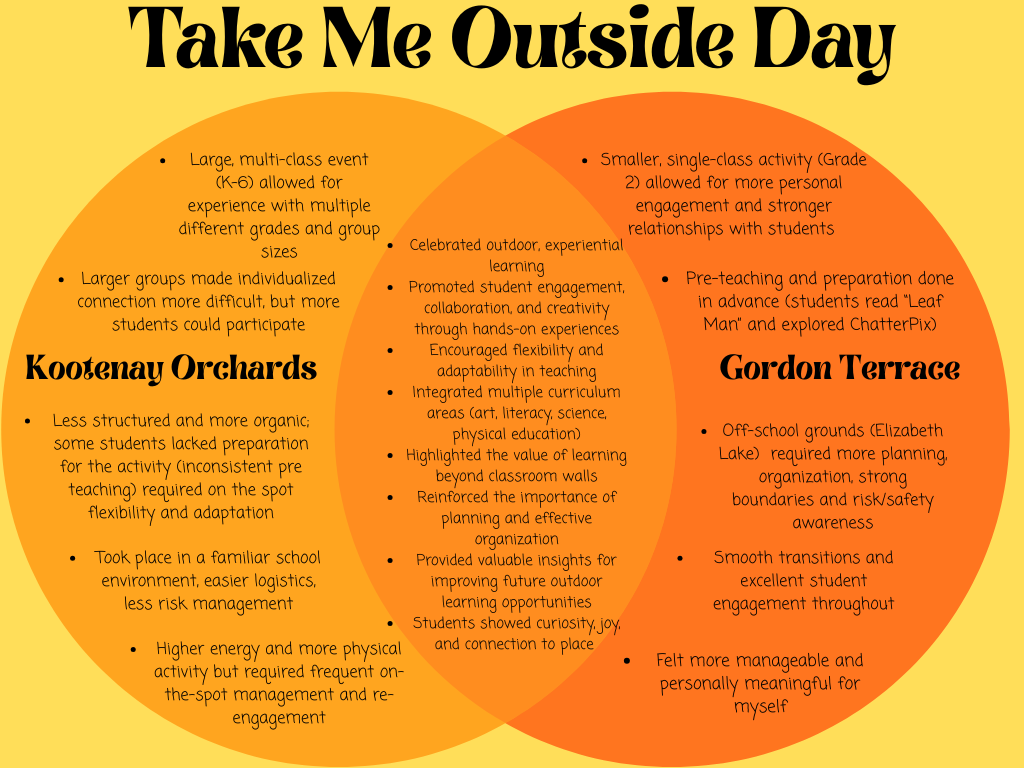
Take Me Outside Day was such a fun and rewarding learning experience. Having the opportunity to take part in two different types of TMO activities, across two schools with varying class sizes, made it an especially meaningful first experience for me. I really enjoyed being outdoors with the students on both days, and I came away with so many valuable insights, lessons, and ideas to build on for next year. Learning outdoors is such an engaging, creative, and fun way to connect with students. It allows for deeper understanding through hands-on experiences and encourages curiosity in ways that a traditional classroom sometimes can’t. Take Me Outside Day reminded me how powerful outdoor learning can be, not just for students, but for educators too. It’s an opportunity to explore new ways of teaching, to learn alongside our students, and honestly, to simply enjoy being outside in the fresh air and sunshine.
“Bucket Buddies” at Kootenay Orchards
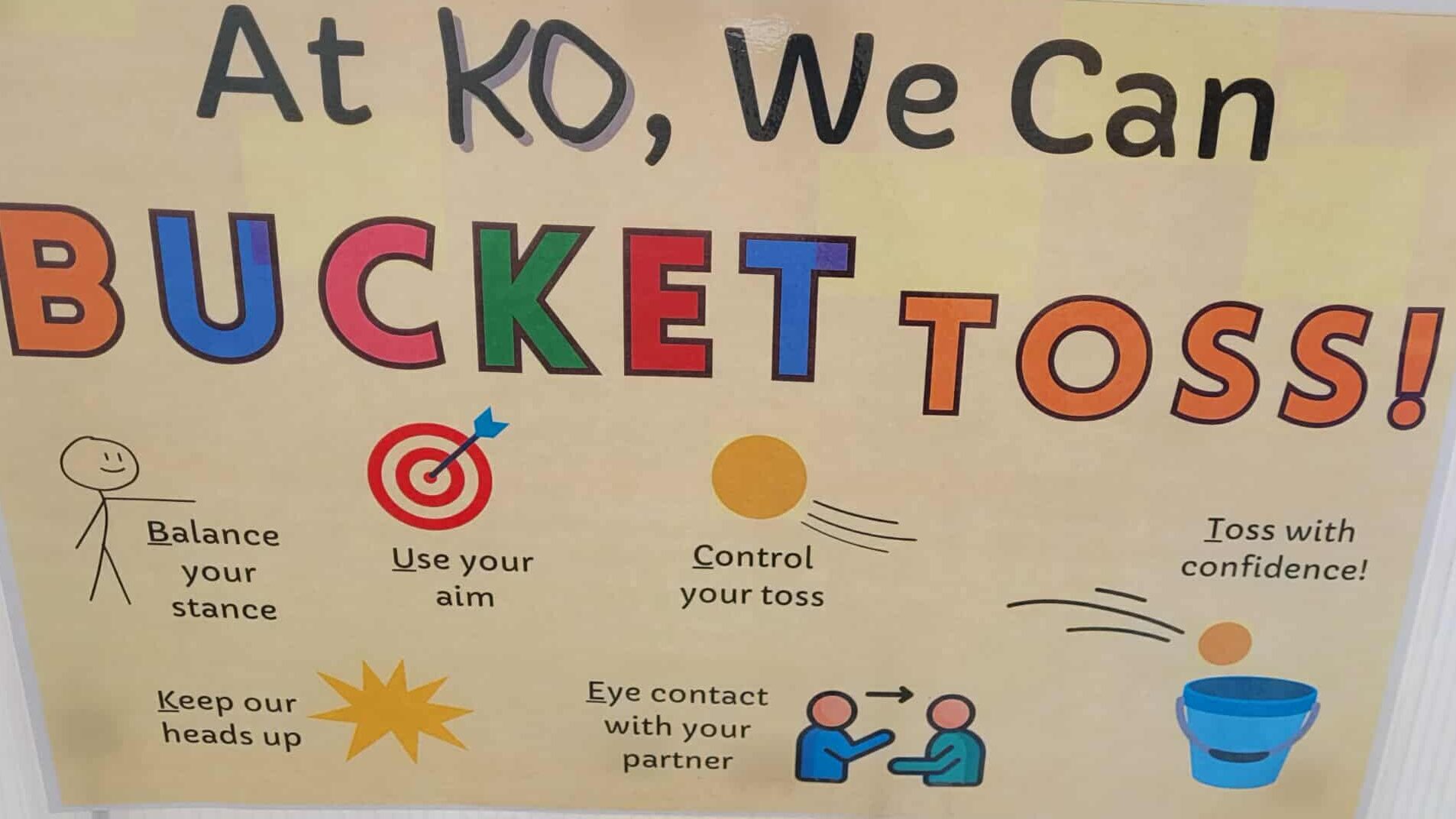
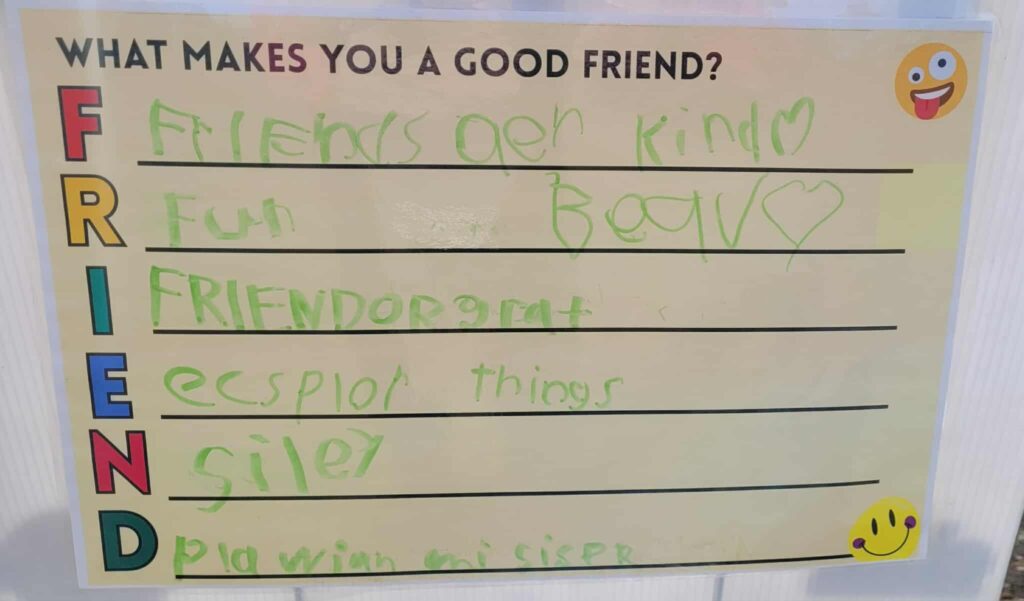
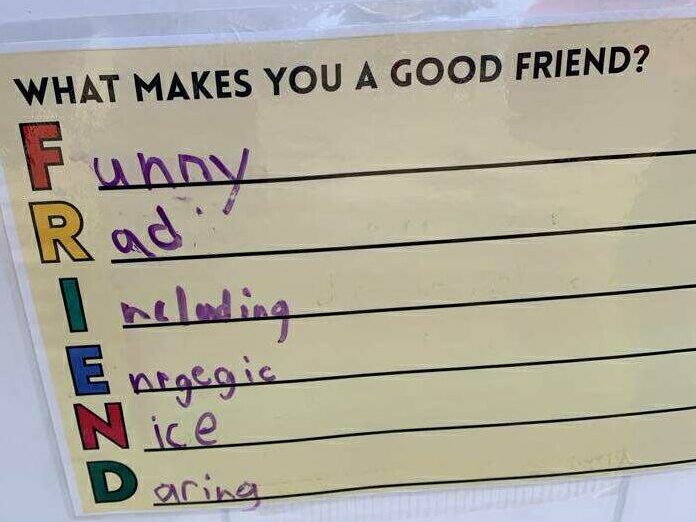
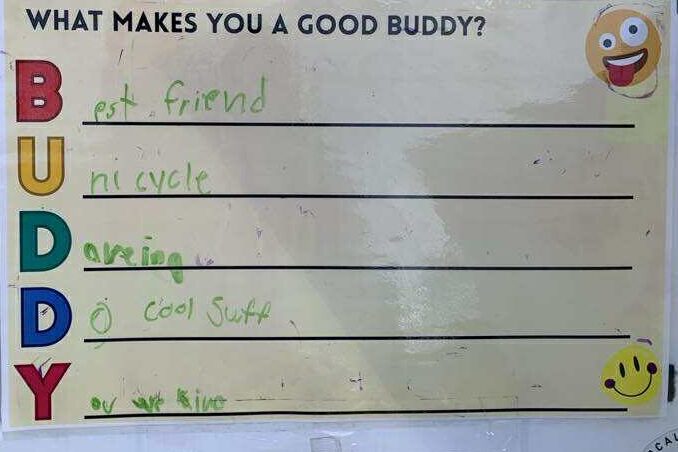
Our first Take Me Outside Day in-situ experience took place at Kootenay Orchards, where we led an “I Love a Challenge” themed activity connected to a story walk for “The OK Book” by Amy Krause Rosenthal. There were eight teacher candidate groups in total spread out across the schoolyard and each group presented an activity at different levels: Kindergarten – grade 1 (Level 1), Grades 2–3 (Level 2), and Grades 4–6 (Level 3). Our activity was called “Bucket Buddies.” The main question guiding our station was “At KO, how can we toss to our buddies?” To tie in literacy, students also created acrostic poems for the words BUDDY and FRIEND, responding to the prompt “What makes a good buddy or friend?” Alongside this, we mainly focused on playing a bucket toss game using tennis and circus balls, encouraging teamwork, coordination and creative collaboration.
Working with Kindergarten students was definitely our biggest challenge of the day. We had a pair of very shy and very reserved students, and we quickly realized we needed to adapt our plan. Early on, we also learned the importance of setting clear under hand throwing boundaries, especially after I was unexpectedly beaned in the face by a frustrated, (surprisingly strong overhand throwing) kindergartener! Despite the kind of rough start, we did our best to pivot and make the activity fun and accessible for them. It wasn’t as successful as with our other groups, but it was a valuable learning experience.
As the Grade 2–3 groups arrived, we took a more flexible approach by offering direction but allowing students to explore and create their own versions of tossing games. This adjustment worked well, and having one teacher per small group helped support their creativity and problem-solving. We started off with the basics and they quickly were able to come up with their own challenges as they got more comfortable and confident with us and the activity. The Grade 4–6 group was our largest and most energetic. It was definitely chaotic, but in the best way. Their enthusiasm led to some of the most thoughtful and creative tossing challenges and acrostic poems of the day. Watching them collaborate and build on each other’s ideas was a highlight for our team. Overall, the day reinforced for me just how crucial flexibility is in teaching. No matter how carefully you plan, things rarely go exactly as expected. Each group brought something different, and each challenge became a chance to adapt, reflect, and grow. Despite the surprises (and the occasional flying ball!), it was a great experience that reminded me how lively and variable outdoor learning can be.
Friends ARE kind, silly, brave, fun, and like to “ecsplore ” things
My favorites were “Friends are rad, Friends are including and Friends do cool stuff” Heck ya!
“Leaf Man” activity and scavenger hunt at Gordon Terrace
Wow—our Take Me Outside Day with Gordon Terrace was absolutely wonderful! We worked with a Grade 2 class, and this time the activity was smaller and more structured than our previous experience. The class had spent the week preparing by reading “Leaf Man” by Lois Ehlert and exploring the app ChatterPix, so when we arrived, everything flowed seamlessly.
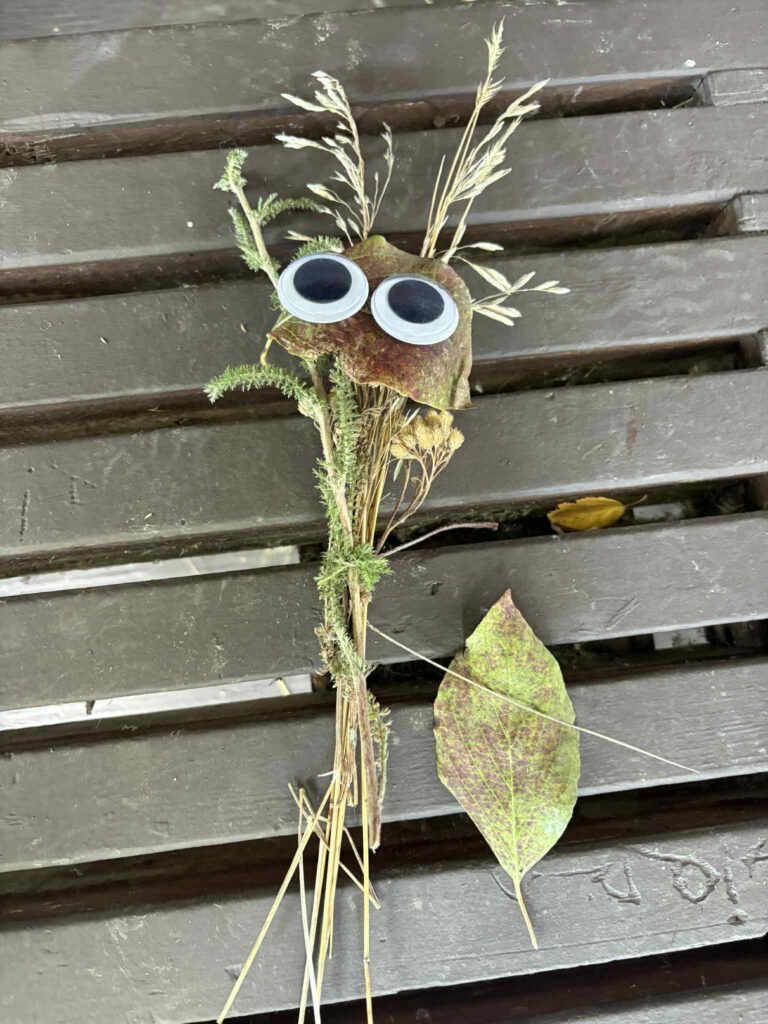
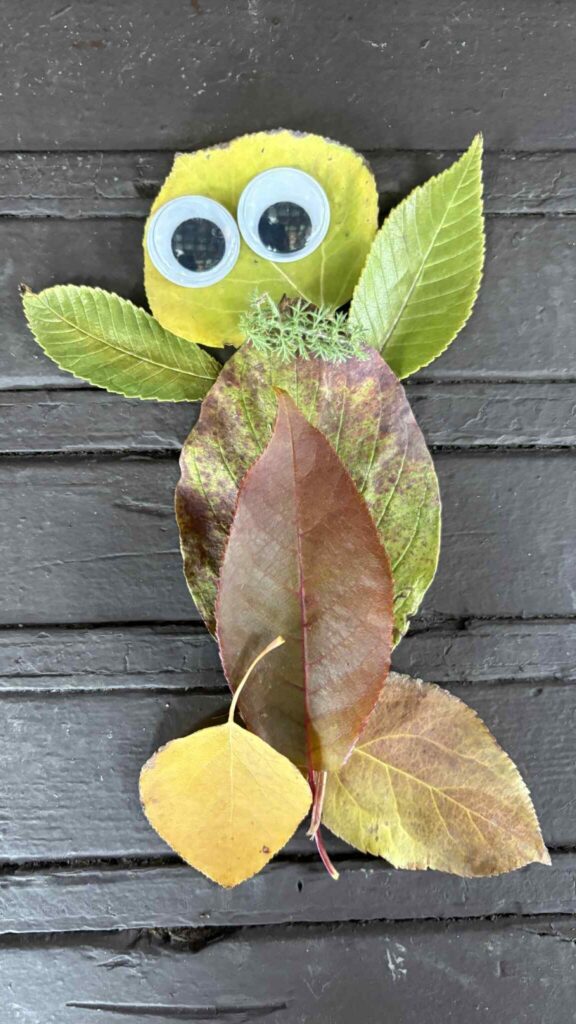
We worked in pairs of teacher candidates, each with two to three students, which made for a really fun and manageable group dynamic. The walk to and from Elizabeth Lake was such a highlight, the students were full of energy, singing songs, asking questions, and connecting with us in such a natural and joyful way. Our group of two students worked really well together, they listened, collaborated thoughtfully, and stayed engaged throughout the activity. We began with a nature-themed scavenger hunt for about 15 minutes, which tied in nicely with cross-curricular learning objectives and encouraged observation, curiosity, and creativity. After the scavenger hunt, we transitioned into our Leaf Man activity, where students created their own “leaf people.” This was such a hit! The students loved using natural materials, and the addition of googly eyes made their creations even more adorable and imaginative. Back in the classroom, we moved into the ChatterPix portion of the lesson. We helped students upload photos of their leaf people and animate them, recording short messages about “what the best part of outdoor learning was” for them. Finally, we uploaded their projects to Seesaw so parents could see their child’s work from our class. Overall, it was an incredibly positive experience. The smaller class size, thoughtful teacher preparation, and clear structure made everything run smoothly. I loved the balance of creativity, movement, and reflection, and the one-on-one time with students made it even more meaningful. This was such a memorable lesson, and one I’ll definitely be repeating with my future students!
On and Off-School-Ground Activities: Pros and Cons
Having the opportunity to participate in both on-school-ground and off-school-ground activities for Take Me Outside Day gave me helpful insight into how each type of experience operates and what each has to offer. Being on school grounds required less planning and paperwork (not that we were directly responsible for that part!) and made it easier to involve multiple classes and have much larger groups of students participate. It was a familiar environment for students, so they were more comfortable and didn’t require as much risk management and supervision. In contrast, our walking field trip to Elizabeth Lake needed much more preparation, organization, risk management and logistical planning to run smoothly (again not from us but from admin thank-you!!). I personally preferred the smaller class size and structured activity format of the walking field trip and leaf man activity. It allowed for more personal engagement and stronger connections with the students, and it felt more manageable for me. Students being in a new environment sparked a ton of curiosity and discovery. It felt like it allowed for more exploration and place-based learning. That being said, with a few adjustments and a bit more structure, I think the larger Kootenay Orchards activity day could be just as manageable if it was a little more organized. But due to circumstances beyond our (or our instructors’) control the classes were not as prepared or as clear on what our activity entailed. Having each class read ‘The OK Book” a few times beforehand and watch a few “I love a challenge” videos would have helped things connect for the students and prepare them for the day. As well as having a pre-determined and clear layout so each station was clearly identifiable, (ex. station 1-8 in numerical order) it would have helped the chaos factor. It would have helped us be a little more prepared, and the KO students and teachers have more direction, but overall it worked out well regardless and the kids had a ton of fun! Also, as much as I loved our poem activity, I think students were feeling bummed out they didn’t get to cycle through all the stations, so maybe if the poem was eliminated, or the final station was just a literacy station then they would have had more time to check out more activities. I am not sure how that would work in our short time frame, but in an ideal world they would have been able to participate in a few more stations.
Final Thoughts:
Learning outdoors is truly the best. For both days’ students showed increased engagement, collaboration, and interest through hands-on and physical experiences. The outdoor setting encouraged active learning, and it certainly added more fun. However, some challenges arose, such as needing to adjust our plan right away, managing distractions, maintaining focus, and ensuring safety in an open environment (more so for Elizabeth lakes). Despite these complexities, the activities naturally created cross-curricular experiences, pulling from subjects such as science, art, language arts, and physical health education. This allowed students to apply a variety of educational skills in real-world contexts and develop a stronger appreciation for their surroundings (without them even realizing, teaching win!) I think us as educators can take these outdoor learning experiences to spark new ideas for future projects and inspire more opportunities to learn outside throughout the year. Whether it’s a nature walk, a seasonal art project, or a science exploration in the schoolyard, each experience can help students see learning as something that happens everywhere. Most importantly, outdoor learning changes how we think, it encourages curiosity, creativity, and connection to the land that is carried back into the classroom. Take Me Outside Day can be so much more than a single event; it can be the starting point for a school culture shift that learning extends far beyond the classroom, reminding us all that some of the best lessons happen when we step outside.
Thanks Scott and Allie for organizing, arranging and providing us with these most excellent learning opportunities. :)
Leveling Up Learning: Gamification, Prodigy, and Classroom Tech Overload
If there’s one thing I’ve learned this semester, it’s this: once you start exploring educational technology, you open Pandora’s Laptop. Between Prodigy, IXL, coding platforms, and the dozens of sites we explored in class, my brain was basically a fried circuit board by the end of some days, but in a good way. Mostly.
My experiences in the gaming world (spoiler: minimal at best), and what I discovered while testing Prodigy, IXL, and other tools we explored in class.
Gamification & Game Based Learning: What Is It, Really?
Gamification is basically borrowing motivational strategies from video games like point systems, levels, challenges, rewards, progress bars, narrative, and choice and applying them to learning. It transforms “I have to” into “I want to,” or at least “I’ll give it a shot.”
Common gamification characteristics include:
Immediate feedback (like losing a heart or earning XP)
Autonomy (choosing a path or type of quest)
Clear goals and levels
Rewards (badges, stars, digital gear)
Safe failure (mistakes don’t kill ya, they just reset the level)
Narrative and role-play
Progress indicators (nothing motivates like defeating a new level)
These elements mirror what we see in Game Based Learning where players move through structured challenges, mastering each step through trial and error. If you’ve ever spent way too long trying to beat a Mario level, you get it.
My Experience With Gaming
I’m not a huge gamer by any means, in fact on the whole, I’m kind of anti-videogames, because my sister is completely lost in video game land, so I have seen the extreme side of things. But I totally see the appeal for students to learn math for example, through earning points, leveling up, and unlocking rewards. Even us non-gamers know the thrill of “finally beating the level.”
So, can I see myself using gamification in the classroom?
Absolutely, but within reason.
I probably wouldn’t gamify everything, but I see real value in using gamified tools for subjects where students often struggle to stay engaged (hello, math facts). Gamification doesn’t replace good teaching, but it does make repetitive practice feel less like pulling teeth.
Some Gamification Resources We Explored in Class
Prodigy: gamified math adventures
IXL: skill-based mastery with immediate feedback
Scratch: (coding) creative computing through gamified creation
My Experience With Prodigy and IXL: The Good, The Bad, and the Distracting)
Prodigy: The Magical Math Adventure
While trying Prodigy, I immediately saw why kids love it. The graphics are fun, the world feels immersive, and answering math questions to cast spells is honestly a genius idea. I could absolutely see the benefits for engagement; students genuinely want to play. But I also noticed something: I didn’t get that many math questions. The game world took center stage, and the actual learning moments felt spaced out. If I used this in a classroom, I’d probably adjust settings or be very intentional about what skills students are assigned so they don’t just wander around collecting virtual pets.
Teacher Benefits:
Easy progress tracking
Automatic differentiation
Skill-aligned content
Students are excited to participate
Potential Pitfalls:
Some kids click random answers to get back to the battle
The game world can distract from actual math
Features can lead to “Why don’t I have the cool outfit?” moments
Fewer questions than expected unless settings are adjusted
IXL: Surprisingly Enjoyable (Yes, Really)
Out of everything we tried, IXL ended up being one of my favorites. It’s not flashy, but it’s incredibly clear and structured. K–12 coverage is huge, and I really liked the mastery-based approach. For a student who thrives with clarity and routine, IXL is perfect. For a younger student who needs novelty or fun? Maybe pair it with something more gamified.
Tech Overload, Coding Adventures, and Trial & Error
Let me tell you; after exploring so many sites during class, my brain felt like a browser with 87 tabs open. I appreciated being exposed to so many tools, but in practice, I’d introduce only one new platform at a time. Teachers and students both need space to adjust. The coding activity on Scratch was… an adventure. At first it was confusing, then satisfying, then tragic when the platform deleted my entire code name graphic. But honestly? That’s classic tech (at least for my grandfatherly self). BUT the second time around, I built it in under five minutes because I actually understood the system. Trial and error ended up being the best teacher, which is exactly the principle behind gamification. Fail, learn, retry, succeed. Gamification isn’t a magic wand, but it is a powerful motivator when used with intention. Prodigy is fun and engaging, IXL is structured and purposeful, coding builds possible career skills, and exploring new tools helps us decide what actually fits our teaching style.
Will I use gamification in my classroom?
Yes, but selectively. Yes, when it enhances learning instead of distracting from it. Yes, because students today connect with games as naturally as we connected with textbooks (well, as much as we could connect to textbooks ha!)
Ooof. AI. This is the big one for me. Out of all the emerging technologies we’ve talked about, AI is the one that makes my stomach flip. I genuinely dislike the rise of AI, how quickly it’s spreading, how deeply it’s embedding itself into everyday life, and how casually we’re letting it replace things that feel fundamentally human.
AI-generated music? Art? Photography? Do we really need that? Human creativity already feels stretched thin in this hyper-digital world, and now we’re handing over even more of it to algorithms. AI can’t (and won’t) replace real art, but it’s definitely trying, and that’s what scares me most. Everywhere I look online it’s Meta updates, virtual realities, “AI tools to make your life easier,” and even wearable tech glasses that can basically read your thoughts. I mean there goes our last sliver of privacy?? It all feels a little too Terminator for my liking. When we start losing the ability to distinguish AI from real life, something inside me feels deeply unsettled. Young people already struggle with impossible beauty standards, and now we have AI-generated influencers made from thousands of “perfect” faces. It’s disturbing. And in schools, students can avoid developing critical thinking, writing skills, or even basic comprehension because they can plug anything into ChatGPT and get an instant answer.
And then there are the issues we’ve talked about endlessly: AI hallucinations, misinformation, bias, the list goes on. I don’t think AI belongs in the classroom at all, but it feels like we can’t escape it.
The only “solution” I can even imagine is designing assignments where students can’t use AI, things that require in-class work, pen to paper, real thinking. But that brings its own challenges. Not every student thrives in a traditional classroom setting (myself included), and some physically need to type. How do we protect learning without excluding the learners who rely on tech? I genuinely don’t have the answer.
And don’t even get me started on the environmental impact. The energy consumption of massive servers, the water used to cool them, during a climate crisis this feels absolutely wild. Like… are we serious?
Another thing that drives me mad: professors using AI to write lectures or lesson plans. Why am I paying tuition for an AI professor? And seeing AI being marketed to elementary students as a “friendly helper”? No thanks. AI is not a friend. AI is not human. Pretending otherwise feels wrong to me. We’re losing critical developmental skills, the satisfaction of working hard toward something, the collaboration that comes from peer editing and problem-solving. It all brings me right back to my first reflection, my longing for simpler, more human times.
Computers might have been the end of the simple era… but AI feels like the end of something much bigger.
I don’t like it, I don’t want it in classrooms, and honestly? It terrifies me.
From Virtual Reality adventures to screencasts, website building, our podcast findings, security systems in schools, and even a look at high-tech, low-tech, and no-tech classrooms, our class projects covered a ton. Each project opened up a totally different corner of what technology can look like in education.. Lets dive in!
High Tech, Low Tech, No Tech:
Ella, Lela and Benny kicked us off and shared what they explored in different classrooms that look high tech, low tech, or no tech at all.
My favorite line from them: “Instead of relying on one tool, teachers use what is available—tech or not—to meet students needs where they are at.”
High Tech
Engaging and powerful
BUT expensive and needs to be constantly updating
Can widen the digital divide (premium devices = premium features)
Low Tech
Simple, affordable, durable
Includes things like clocks, calculators, noise cancelling headphones, fidgets
Supports digital literacy without overwhelming students
Still can contribute to inequalities of the digital divide if some students have “better” versions
No Tech
Waldorf-style, zero screens
Holistic learning
Imagination, problem solving, critical thinking
Great for some learners, harder for those who need visual/auditory support
And the funniest part? The QR code activity results… were basically all low tech for our class, and the school results. This Totally surprised me, because I thought there would be way more high-tech or no tech classrooms. I also thought I’d be no tech, but now that I understand more about technology, I can totally see myself as a low-tech teacher.
Our Podcast, Grace, Shae, Daleen, Dakota
Next we presented our group’s podcast findings, which you can find and listen to our podcasts on my blog (posted under Educational Technology Presentations)
VR Field Trips: Passport Not Required
Next we had the “Alt-ternative Cowgirls” Makayla, Sophie and Chloe take us through the possibilities and benefits with Virtual Reality field trips. When the budget isn’t there, VR field trips can help you make field trips happen. Suddenly you’re at the zoo, in Europe, in a museum, underwater, wherever, all from your classroom. This means there is less administrative work, safety risks, and funding required.
No permission slips. No fundraising. No “sorry, the bus is full.” Just safe, fun, accessible learning for every student.
VR offers:
A way to “travel” globally on a tiny (or basically zero) budget
Personal, immersive experiences
Opportunities for all students, not just the ones who can afford real trips
Honestly? Virtual field trips are a great alternative when real field trips aren’t a possibility. Think like Ms. Frizzle, and take students places they never dreamed of going!
Too Much Tech = Tired Brains? Balance Matters
Next up, Danika, Sarah and Liah talked about something we don’t always think about: the balance between tech and actual cognitive development.
Their key message: “Technology should enhance cognitive growth, not compete with it.”
They talked about how overusing tech affects:
REM
Attention span
Emotional regulation
Sensory load
Cognitive overload
Brain development overall
We need some technology in classrooms, but we also need handwriting, reading real books, face-to-face communication, and problem solving without just saying “eh, ask Google.”
Tech balance isn’t just a school issue, it’s a life issue. Students need to think critically, not become passive consumers. Using tech intentionally, having a blended approach, and managing cognitive load… are all huge parts of balancing technology in classrooms.
In short: use tech, enjoy tech, learn from tech, but don’t let it replace thinking or learning.
Security Systems in Schools: Helpful or Prison Like?
And finally, the “Siren Sisters” Breanna, Amanda, Alexndra and Hannahtook us into the world of school security systems, and honestly, it’s more complicated than I expected.
Pros:
Helps students and staff feel safe
Instant communication: Securly, CrisisGo, UC Safety, Rave Panic Button, and more
Useful in lockdown situations
Helps investigate conflicts or incidents
Cons:
Loss of privacy, students can feel watched
Can make school feel like a prison atmosphere
Tech can fail, and it’s not always reliable
Expensive upfront costs, and maintenance
Data collection + monitoring = less trust
My favorite quote they shared: “Protecting a child’s tomorrow before their fear ever reaches today.” Powerful stuff.
This presentation made me think about the balance between safety and trust, yet again another form of “tech balance.”
Final Thoughts
Our presentations showed me that there is no one right way to use technology in education. VR can open the world. Podcasts can build student voice. Security systems can protect but also complicate. And sometimes the simplest tools are the most effective. It all depends on how you use technology.
The theme across everything? Balance. Intentionality. And meeting students where they’re at.
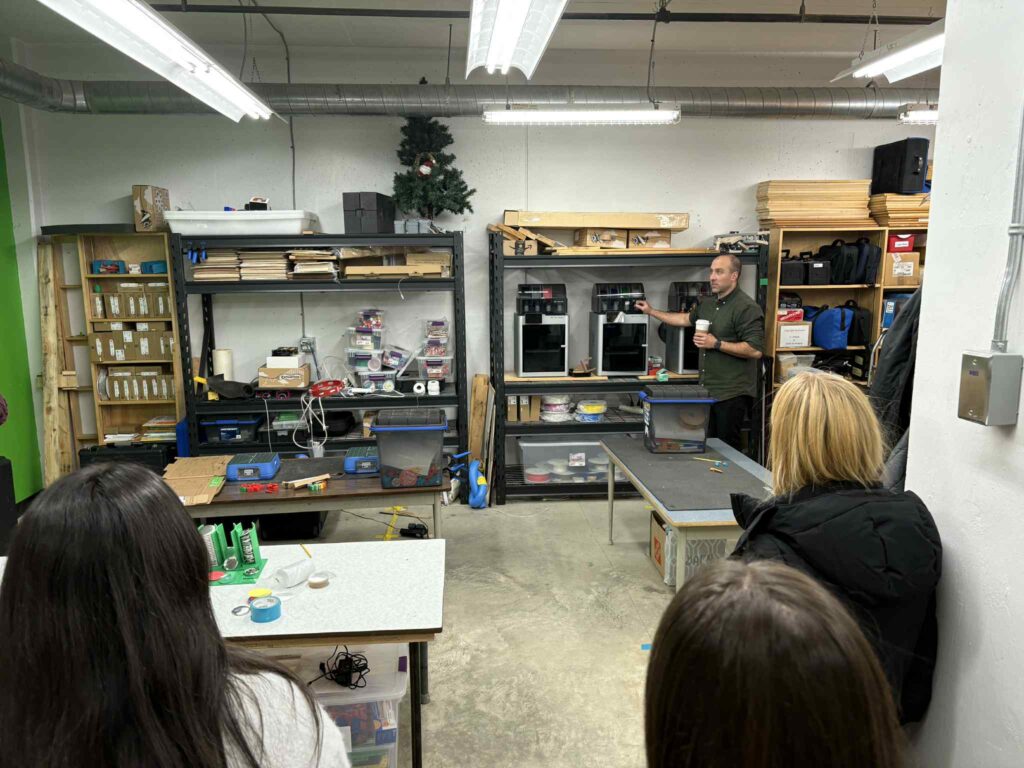
I’ll be honest, I had no idea the SD5 Design Lab even existed before visiting it. But the minute I walked in, I understood why students (and teachers!) must love it. This wasn’t just another tech room or computer lab. It felt like stepping into a place where ideas grow legs, students pick up the tools, and creativity becomes real.
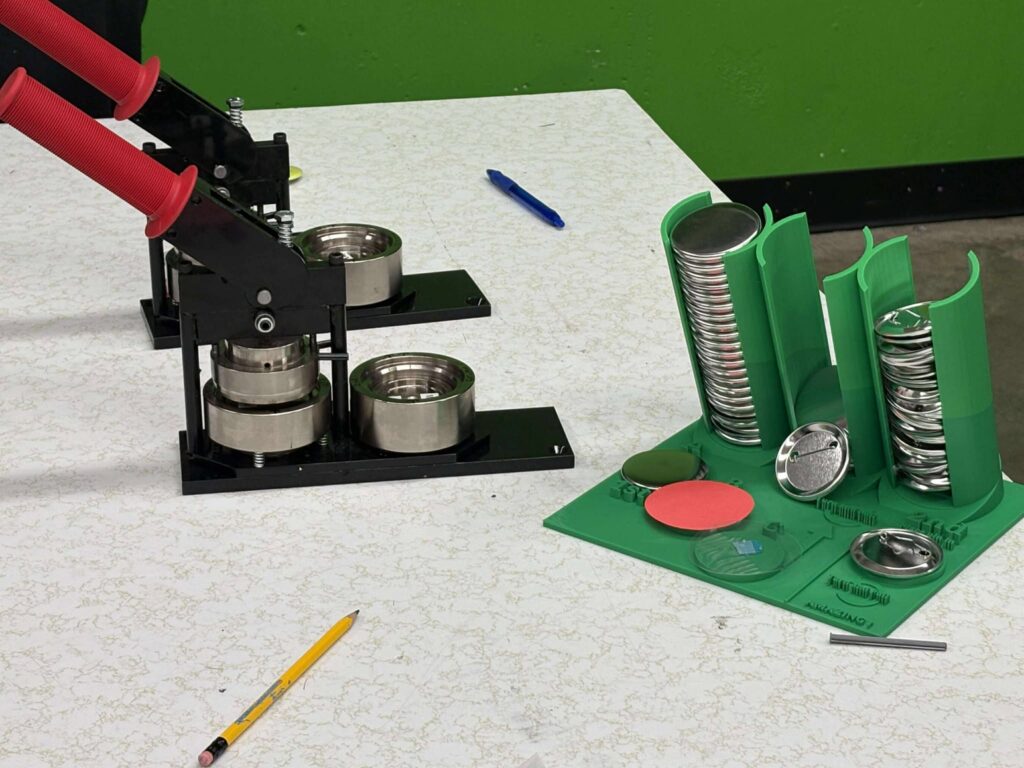
And yes, I’ll admit it: by the end of the visit, I wanted to take half the equipment home with me… starting with the button maker.
A Space Built for Imagination
The Design Lab doesn’t overwhelm you with flashing screens or rows of computers. Instead, it invites you to imagine, experiment, and build. I really liked the painted ceiling tiles, it reminded me of my high school art classroom, which was also in a basement, but it set the tone right away for FUN It almost felt like a mini version of High Tech High, right here in our district!
Ryan’s Approach: Technology as a Tool, Not a Driver
One of the best parts of the visit was seeing how Ryan frames technology. He doesn’t present tech as a replacement for creativity but shows how it can support creativity. Instead of relying on computer systems to generate ideas for students (although it sounds like that’s an option too) the Design Lab encourages students to come up with ideas themselves, then use the lab tools to bring those ideas to life. It’s innovation on their terms, not technology’s.
Hands-On Tools: My Favorites
This space is stocked with resources I didn’t even know schools could have, and they’re all usable by students with varying levels of explanation. Some of my personal highlights:
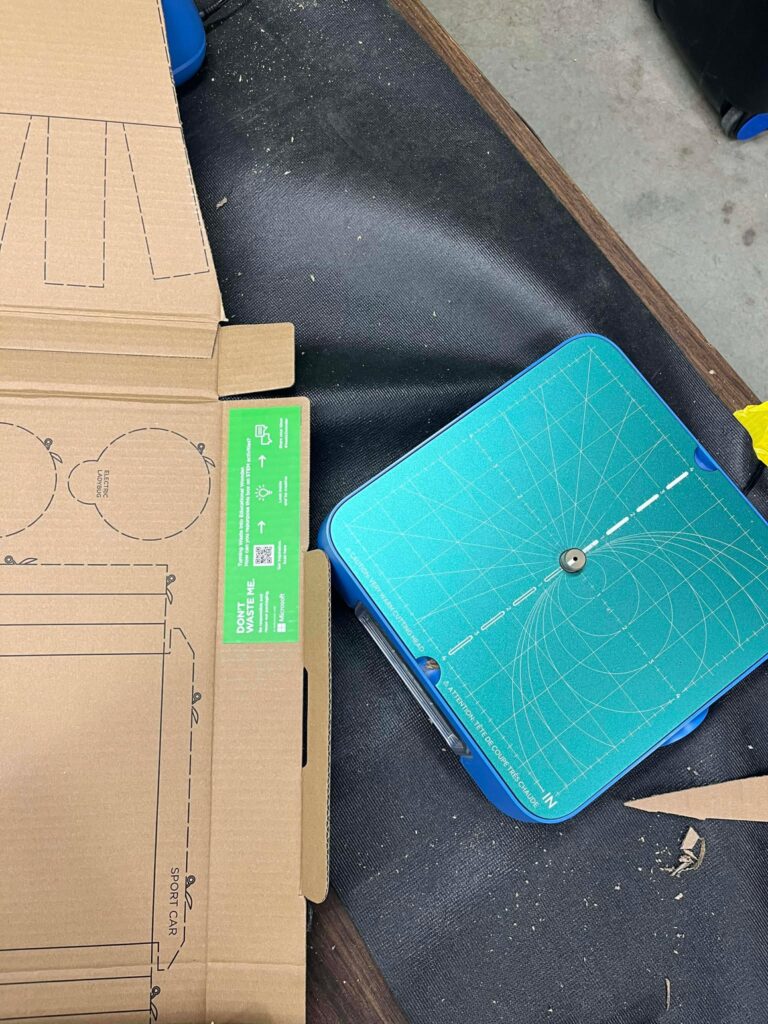
The CHOMP Saws
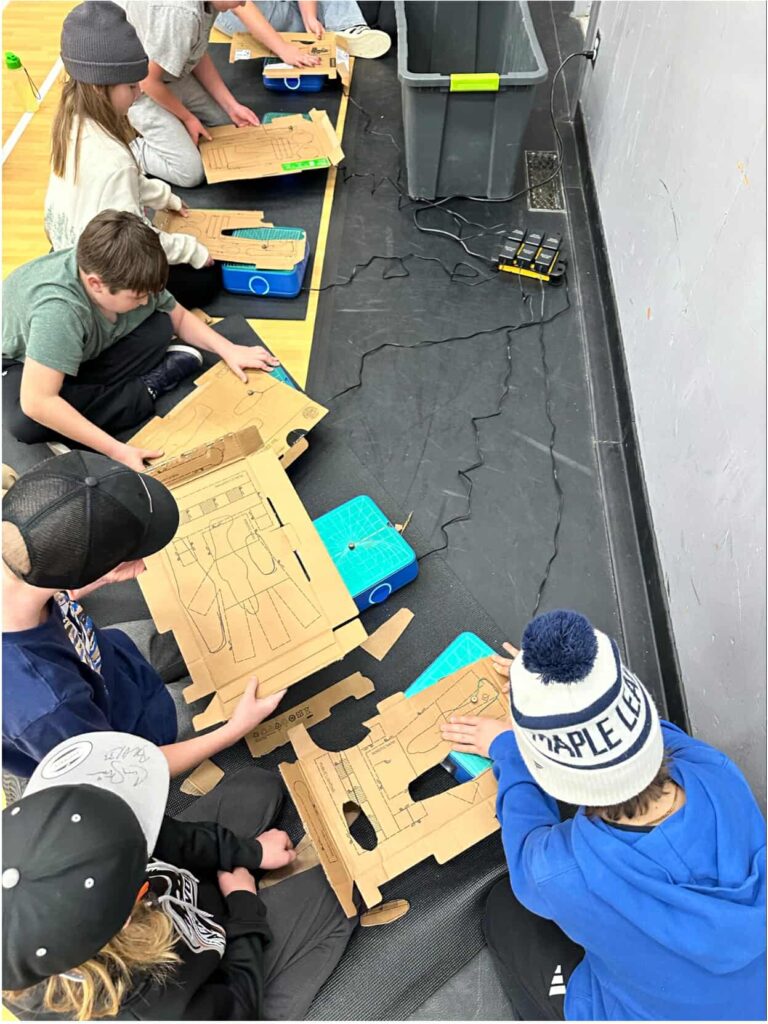
These are epic! It’s like a mini table or jig saw for kids. I feel like this is an avenue to get students interested in wood working one day, because they can make precision cuts without any fear of losing any fingers. Surprisingly safe and ridiculously satisfying. Cutting cardboard never felt so legit.
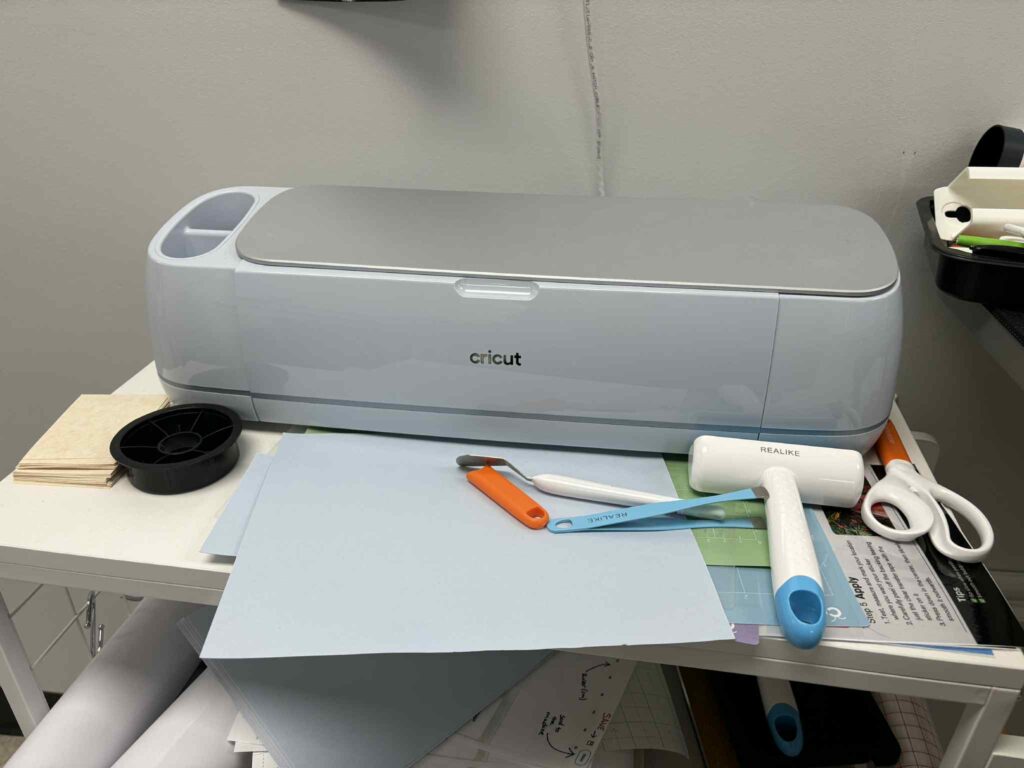
Cricuts Everywhere
Even though we didn’t have time to finish our Cricut prints, I totally see the value. These machines open up endless opportunities for design and personalization, and crisp clear cuts.
The Button Maker
I need one. Immediately. Possibly for absolutely no practical reason… but I need one.
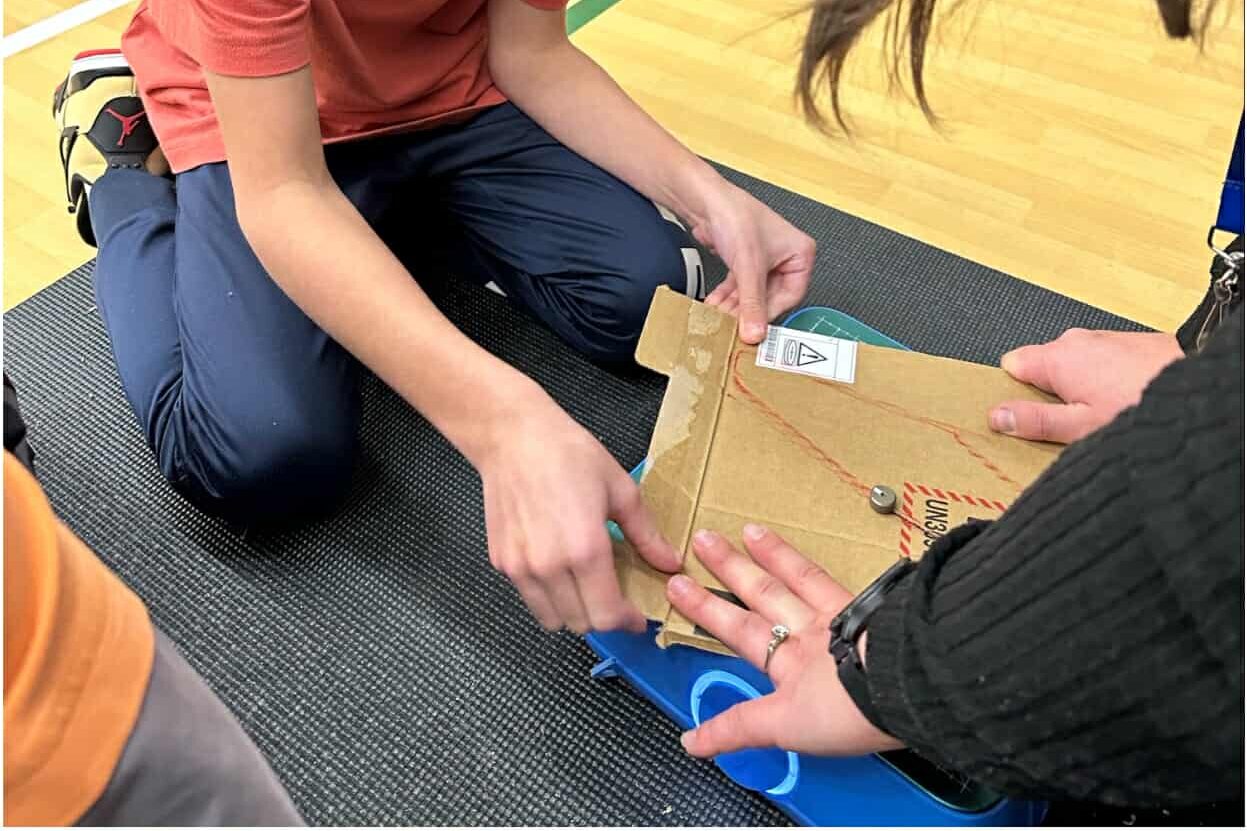
Cardboard Screws
Here is a little video of Ryan explaining some projects students have made with these cardboard screws:
Genius. They make student prototypes way sturdier and transform basic cardboard into engineering-ready material. I particularly like how Ryan uses them instead of wasting duct tape, and endless amounts of hot glue!
Robots, AI & A Very Cute Exception
I’m not the biggest fan of AI robots replacing real humans (terminator) but I have to say…the name “Skoot” was clever. Southeast Kootenays? Meet Skoot. If every robot had a cute name, I might be convinced momentarily. Robotics in this setting feels a little more useful, not futuristic for the sake of being futuristic, as Ryan said, the design lab folks might call themselves the “EDUvengers”, but they’re not IT and Skoot could help field some of those basic questions.
3D Printing & Laser Cutting: Next-Level Tools
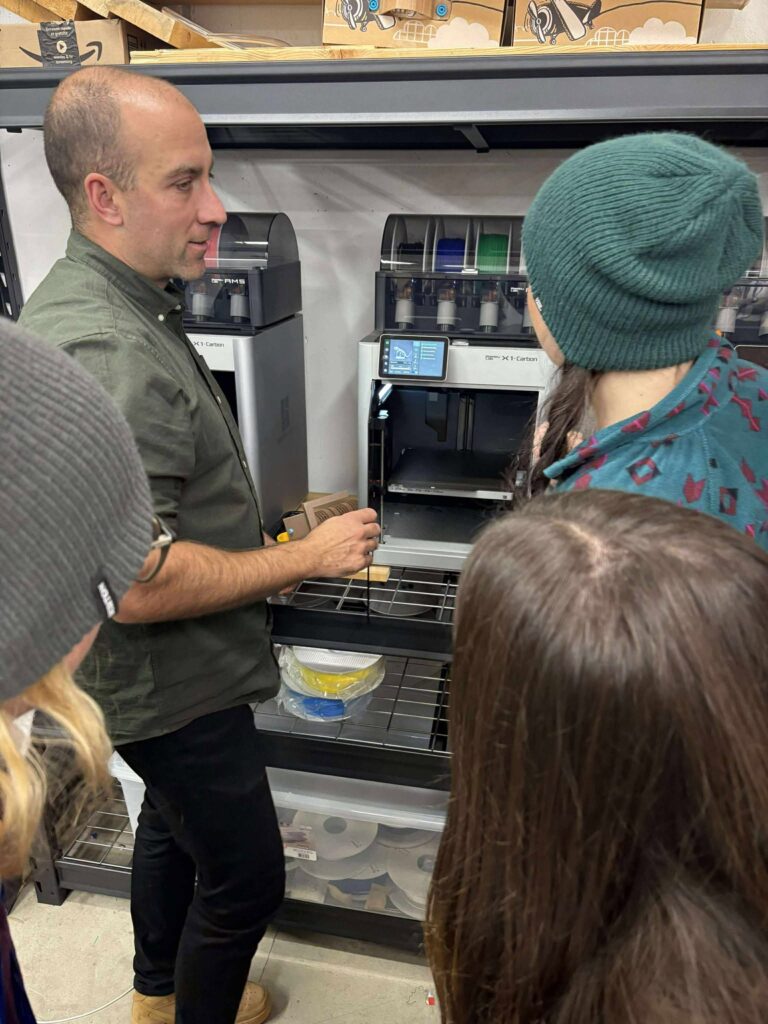
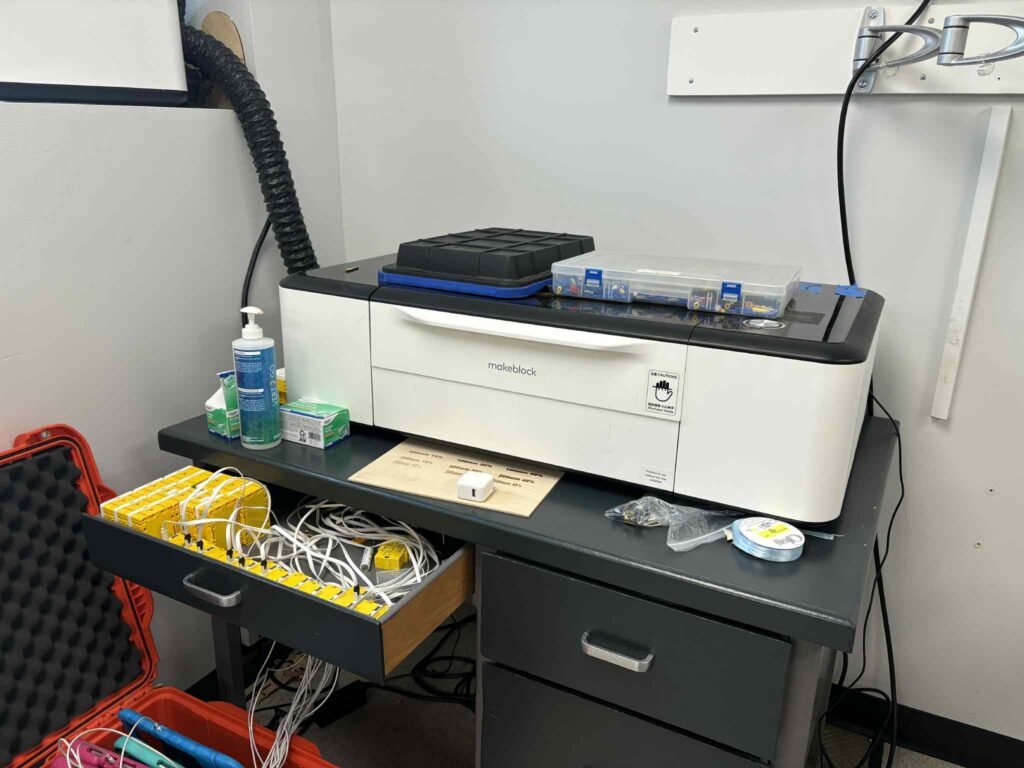
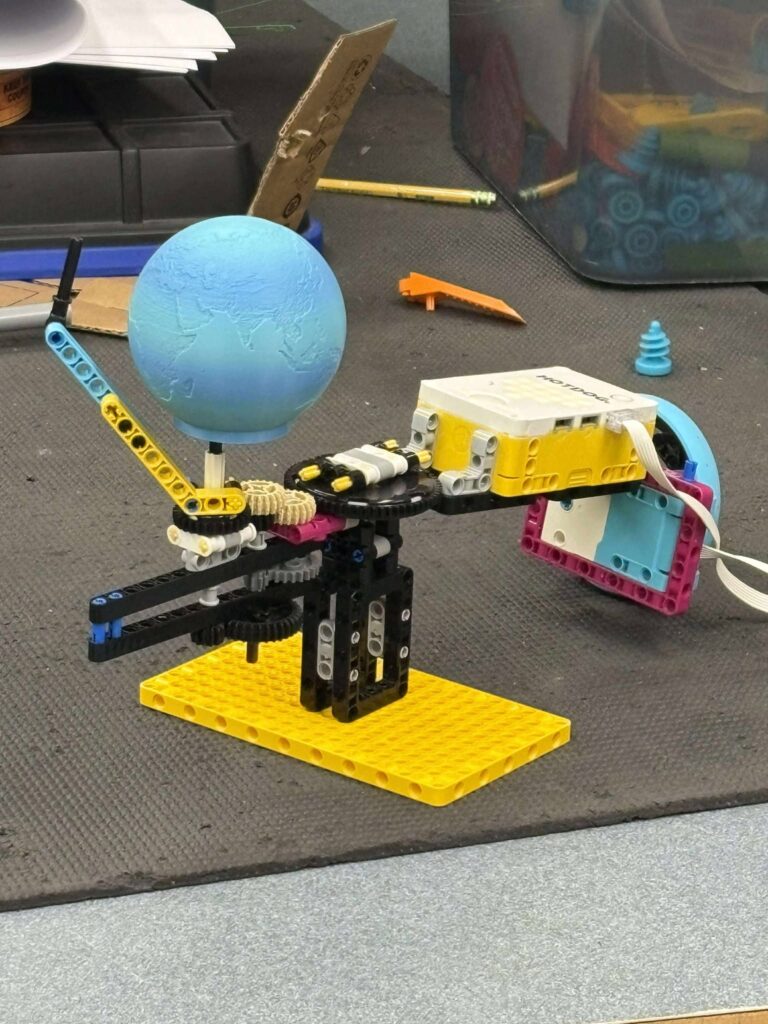
The 3D printers were fun to watch. There’s something magical about seeing a digital design slowly become something you can hold. And the laser cutter? That’s a machine I absolutely want to explore further.
Why This Space Matters
All of these tools move student creativity from “idea” to “prototype” to “product.” It’s pretty neat, even my technologically challenged self can see the appeal. This is the kind of environment where students are encouraged to feel curious, and capable. It isn’t about technology doing the thinking for them, it’s about giving them the tools to think bigger. If I were a student, I would love to spend time here. Honestly, I wish SD6 had one.
The SD5 Design Lab isn’t just a fun space, it’s a great way to use and introduce technology with students. It shows what education can look like when creativity and technology support each other, instead of competing for attention. And I can’t wait to bring my students into a space like this one day!
Innovation Hour at Gordon Terrace: I Came, I Saw, I Cubed
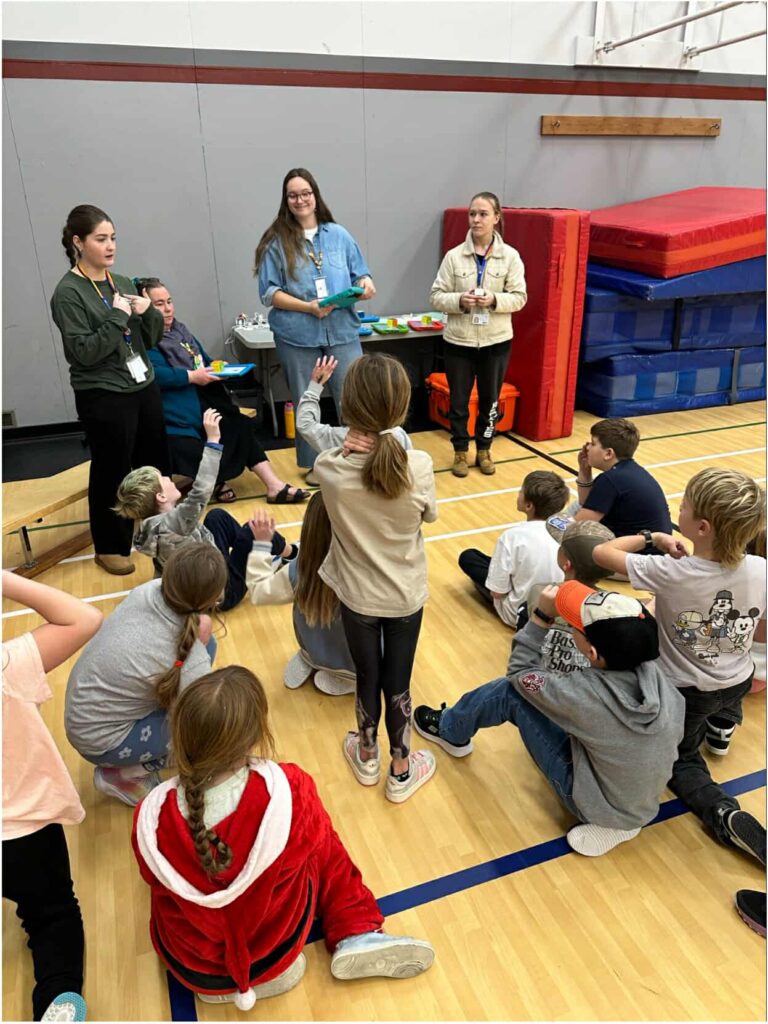
Wow. Innovation Hour at Gordon Terrace was way more fun than I expected. And trust me, me and technology are not exactly besties. But this? This was a totally different kind of tech experience, hands-on, kid-powered, creative, and surprisingly… not terrifying! It was a perfect way to blend tech with student curiosity in a fun, innovative, low-pressure environment. We had five awesome stations, and every single one had something cool going on:
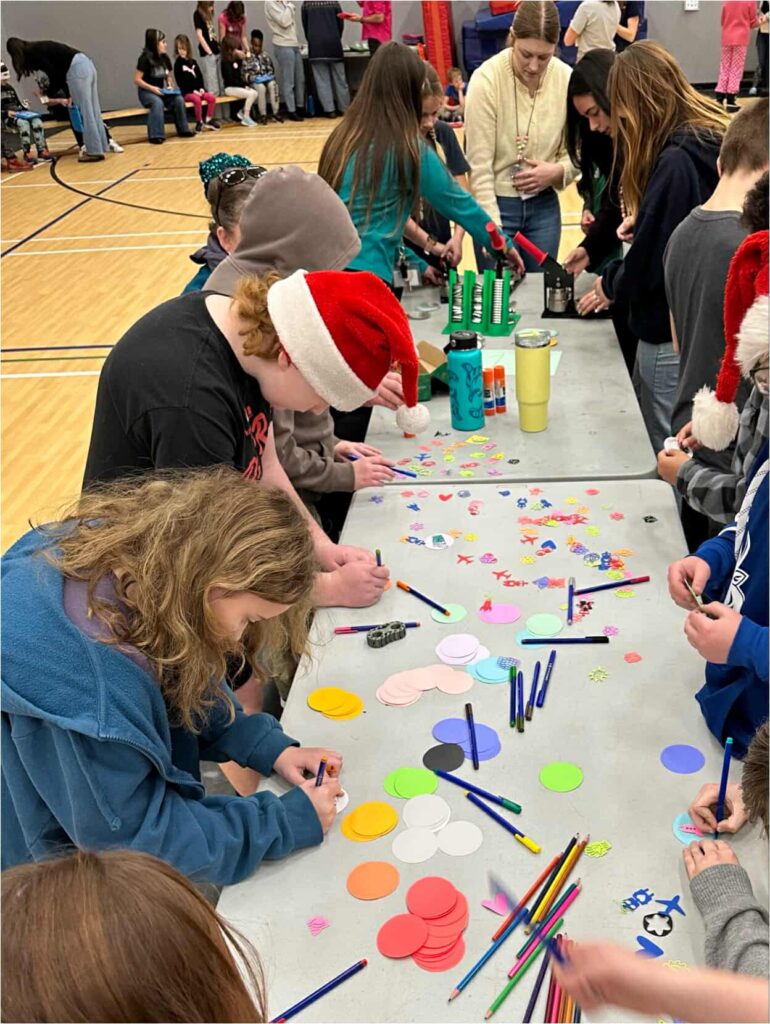
1. Button Making
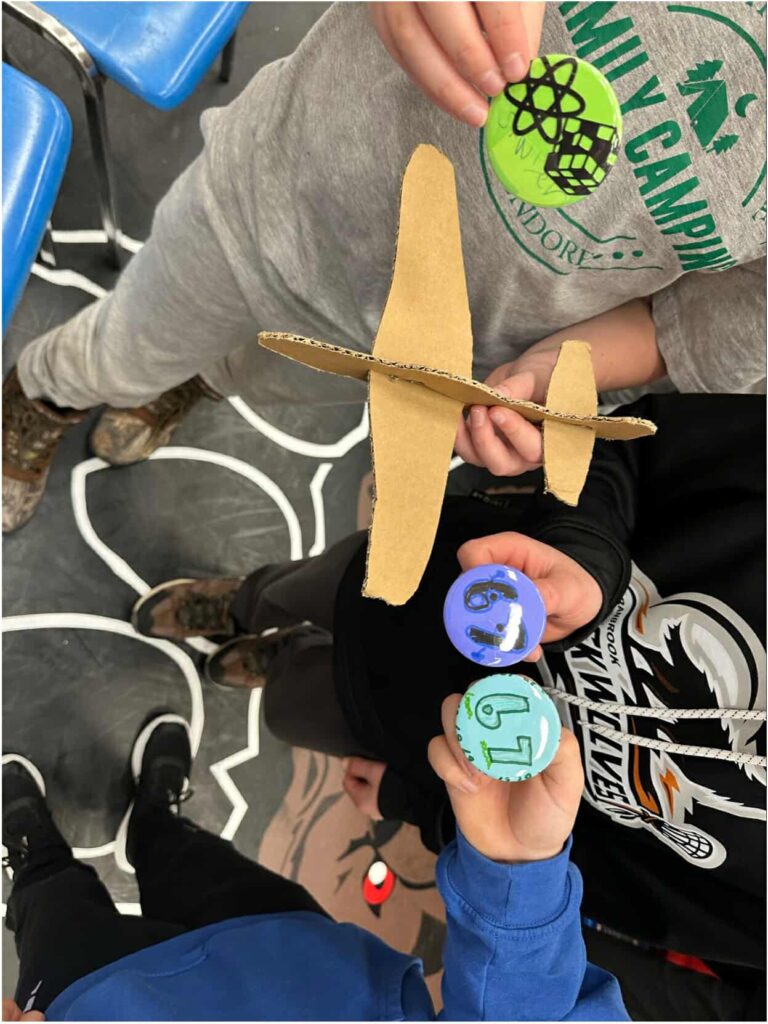
A low-tech, high-creativity zone! Students made their own buttons, and it was so fun seeing them cycle through our stations with their new buttons.
2. Go Cubes (My Station!)
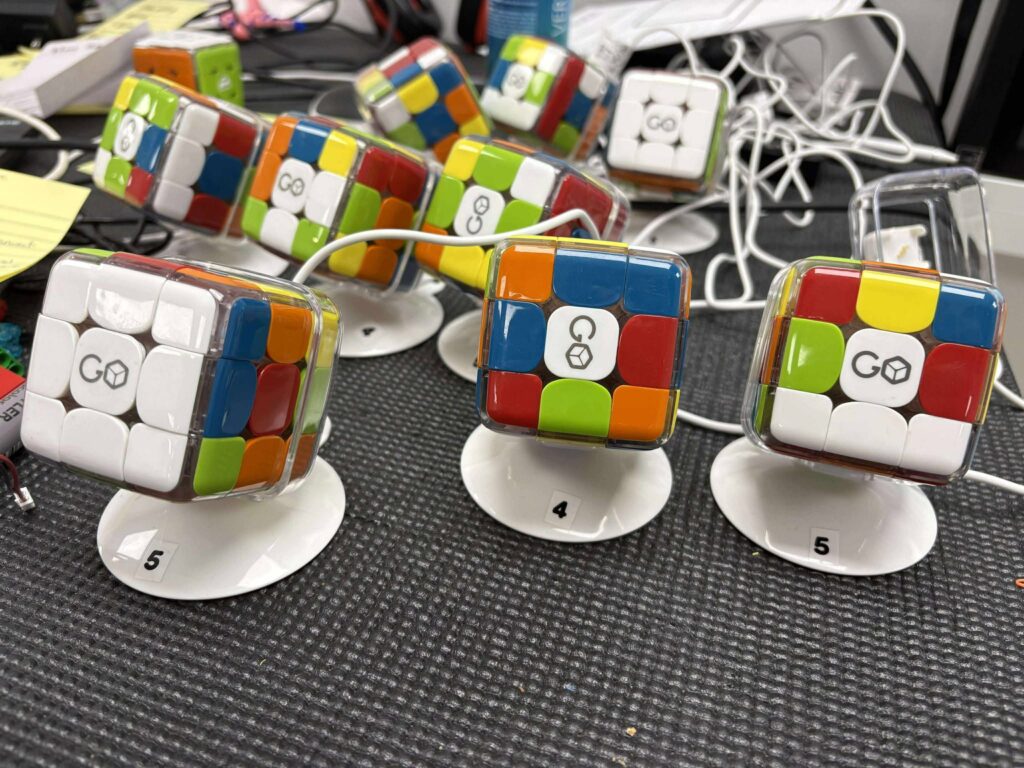
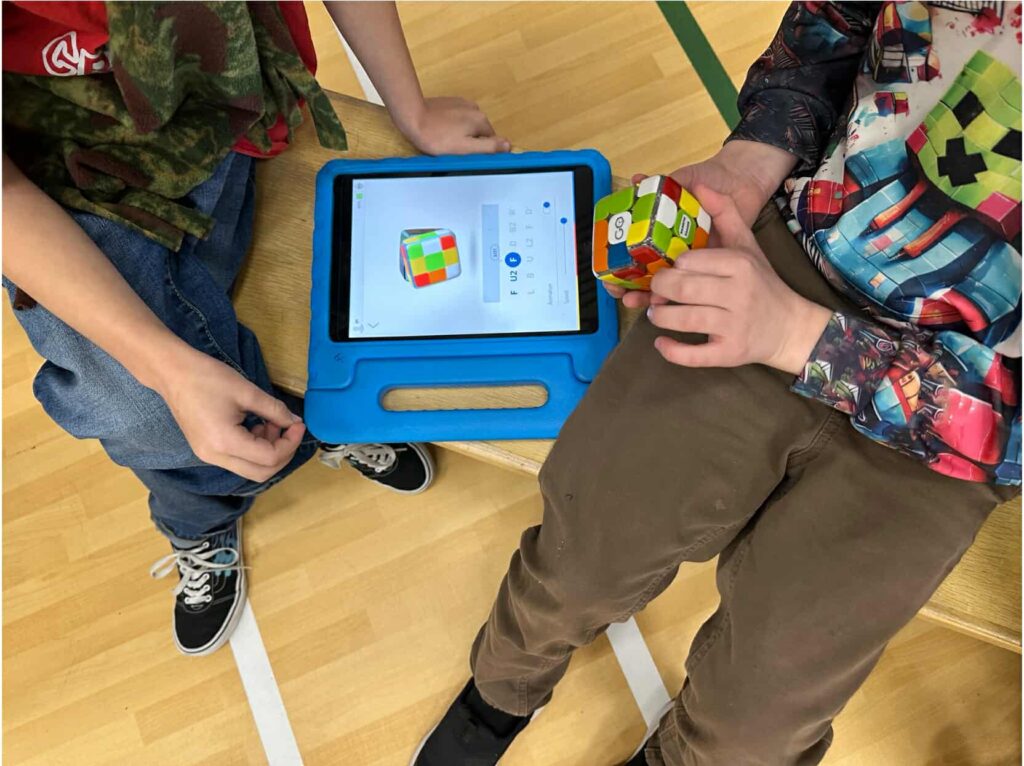
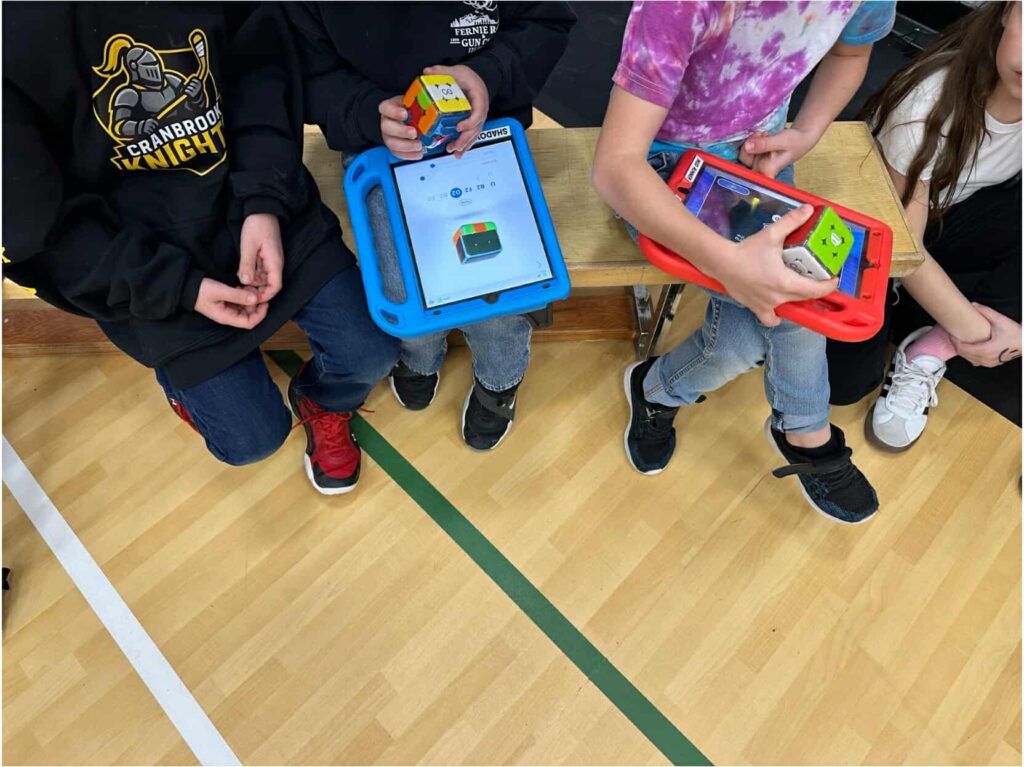
Ah yes. The station that turned me, someone who had never solved a Rubik’s cube, into a near-professional… with a little help from our iPads. Here is a link to a video explaining the Go Cubes a little more. I spent the whole event at the Go Cube station because it was a bit more complex and required consistent explaining, resetting, and making sure everything actually stayed connected. Sounds like the morning shift had a tough go, but when I arrived, we were almost a well-oiled running machine. And by the end, we were practically Go Cube pros.
We worked with five groups of students in two grade ranges:
Grades 2–5 (the older kids “got it” quicker than I did)
Kindergarten and Grade 1 (adorable little fart machines)
The older kids were pretty independent, they were quick learners, curious, and very into the idea of a computer-supported cube. It was such a great chance for me to practice explaining things clearly, stepping back and letting them problem-solve, and just watching them light up when things clicked. They worked in pairs, and they were focused and engaged and all solved the cube a few times!
Then came the little stinkers (literally, kindergarteners have no shame when it comes to farting) Kindergarteners + Go Cubes = very challenging but they still had fun
They loved the cube… but mostly wanted to flip it, twist it, and hold it upside down every which way. The Go Cube sensors? Not fans of that. They made too many mistakes which caused the cubes to disconnect, so, we had to get way more hands-on and do groups of 3 instead of pairs. We had to walk them through each move, guiding their turns and helping them hold it properly. Some figured it out, though, and their excitement when they solved the cube made it worth all the explaining.
Overall? Way more fun then I thought, and I’m glad I tried the more “challenging” station. It gave me a bit of confidence for my own problem solving.
3. Microbit AI
This station I didn’t participate in, but from our design lab class we had explored it previously and sounds like it was a hit. The microbits were preprogramed to make different images on their screen, which were matched to different movements like jumping, fist bumps, flossing and some we couldn’t even figure out, it looked fun!
4. Chomp Saw
Okay, I love Chomp Saws, and I wish I had time to try this station out. The students cut out and made paper airplanes, and they were so proud to bring them to their next stations!
5. Unplugged Activity: Brain in a Bag
A super fun, no-tech activity, I didn’t quite get the explanation of the station, but they looked like they were having a good time!
Final Thoughts
Innovation Hour was such a great experience, not just for the kids, but for me too. I got to practice teaching skills, work with different age groups, problem-solve on the fly, and even “solve” a Rubik’s cube for the first time… kind of. I’m already looking forward to next year.
Huge thanks to everyone who organized this super fun event!