
Canva: A Forever Fave Classroom Tool
I loooove canva , If I ever did love a graphic creator platform, I mean love is a strong word here, but it’s the easiest one for my technologically challenged self to use. It’s fun, creative, and honestly the best design tool I’ve worked with so far. Every single graphic project I make goes through Canva now, and I truly wish I’d had it back in high school. It blows boring old PowerPoint straight out of the water.
I’ll absolutely encourage my students to explore Canva, and I’m more than happy for them to share other graphic platforms they enjoy (because let’s be honest… Canva is pretty much the only one I really know).
Why Fun Graphics Matter in the Classroom
Well-designed visuals can totally transform student learning. Here is an interesting article exploring how graphics can improve student learning. When information is presented in a clear, attractive way, students are more engaged, they understand better, and they remember better. A good graphic can support visual learners, break down complex concepts, and make lessons instantly more appealing.
I imagine using classroom graphics to help:
- explain new concepts
- summarize lessons
- support multiple learning styles
Honestly, there’s a graphic for every subject if you want there to be, which is why Canva is also a great tool for differentiated learning, as it can give students an accessible platform to show their learning instead of a traditional assignment route.
A Peek at our Graphic
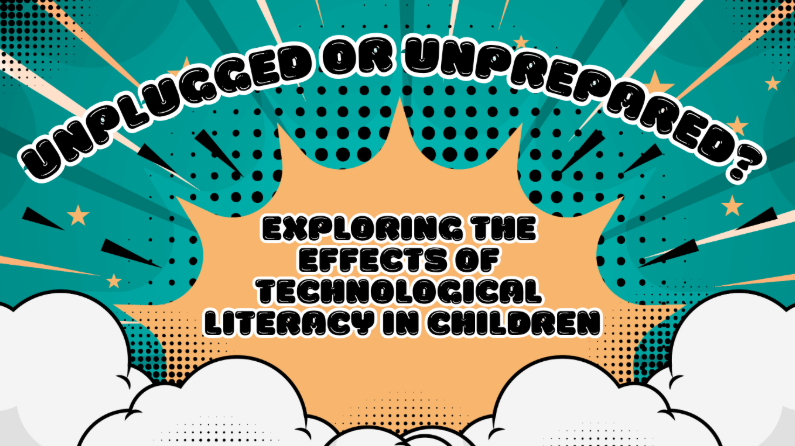
Platform Used: Canva- Surprise!
For our tech project, our group decided to create a podcast, so today was all about designing our podcast graphic. Naturally, we turned to Canva, which has definitely become the go-to tool for all of us. It’s such a simple, intuitive web-based platform loaded with templates, icons, fonts, and design elements for pretty much anything you can imagine. Each suggestion we came up with Daleen (our resident Canva expert) was able to make it happen and we had a TON of ideas,
Canva works whether you’re making posters, infographics, slideshows, or interactive presentations. The drag-and-drop setup makes it accessible for all ages and levels of tech confidence, perfect for students, teachers, and even “Grandpappy Dak”
Designing our podcast graphic was quick, collaborative, and honestly really fun, another reminder of how versatile and classroom-friendly Canva truly is
Why Canva Is Epic
- Easy to Use: No design background needed
- Collaborative: Great for group projects
- Super Customizable: Templates for literally any subject or theme
- Engaging: Visuals instantly make lessons more dynamic and relatable
Make Learning Visual, Make Learning Fun
Using graphics shifts lessons from text-heavy to visually stimulating, which supports visual learners and boosts learning retention. Even better, letting students create their own visuals gives them a chance to express their learning creatively and take ownership of their ideas and supports differentiated learning.
If there’s one thing Canva proves, it’s that learning can be both effective and fun and I am absolutely here for that.
Photo by Casandra Montgomery on Unsplash